
Integrating SaaS applications through an iPaaS
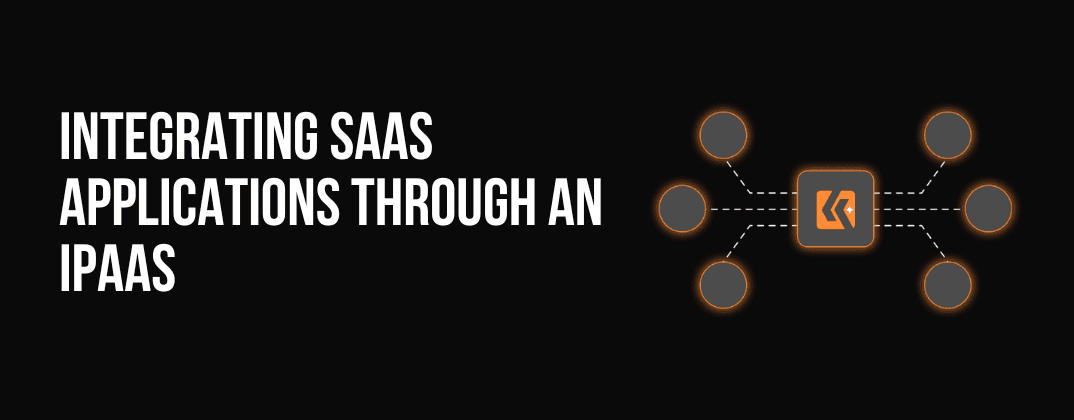
Table of Contents
Software-as-a-Service (SaaS) has revolutionized the way businesses operate. However, with more and more applications being used, it can become challenging to keep them all connected and functioning together seamlessly. This is where an Integration Platform-as-a-Service (iPaaS) comes in. An iPaaS helps organizations integrate their SaaS applications by providing a centralized platform for connecting and managing all of their apps. We will discuss the benefits of integrating SaaS applications through an iPaaS, and how it can streamline your business processes.
What is an iPaaS?
- An iPaaS is a cloud-based solution that provides a platform for organizations to integrate their SaaS applications. It enables businesses to connect their apps, automate workflows, and share data between applications.
- The PaaS platform can be used to connect a wide range of SaaS applications, including customer relationship management (CRM), enterprise resource planning (ERP), and human resource management (HRM) systems.
Why use an iPaaS for SaaS integration?
There are several benefits to using an iPaaS for integrating SaaS applications. Some of these benefits include:
Improved Data Accuracy and Reliability
- With an iPaaS, organizations can automate the flow of data between applications, reducing the risk of human error and ensuring that data is accurate and up-to-date.
- The iPaaS can be programmed to automatically transfer data between different systems, eliminating the need for manual data entry and reducing the possibility of errors.
- This leads to an increase in the accuracy and reliability of data, which is critical in decision-making and the overall functioning of a business.
Increased Efficiency and Productivity
- By automating workflows and eliminating manual data entry, businesses can free up their employees to focus on more important tasks.
- The iPaaS can handle repetitive, time-consuming processes, such as data transfer and data transformation, freeing up employees to concentrate on more important and strategic tasks.
- This leads to an increase in overall productivity and efficiency, as employees can spend more time on core business activities, rather than manual data management tasks.
Enhanced Collaboration
- An iPaaS can help teams work more effectively by allowing them to share data and collaborate on projects in real-time.
- The iPaaS provides a centralized platform for the exchange of information between different departments, teams, and systems.
- This leads to an increase in collaboration and communication between teams, as they can share data and work on projects together in real-time, without having to wait for manual data transfer or other processes to be completed.
Reduced Costs
- Integrating SaaS applications through an iPaaS eliminates the need for custom integration solutions, reducing development costs and minimizing downtime.
- The iPaaS provides a pre-built solution that can be easily configured to meet the specific needs of a business.
- This eliminates the need for custom development, which can be expensive and time-consuming, and reduces the potential for downtime due to integration-related issues.
Increased Flexibility
- An iPaaS provides a centralized platform for managing and integrating SaaS applications, making it easier to add or remove apps as needed.
- The iPaaS can be easily updated to accommodate changes in the business landscape, allowing organizations to add or remove apps as required, without having to go through the process of custom development.
- This increased flexibility helps organizations to remain agile and responsive to changing business needs and helps to ensure that their technology infrastructure can support their ongoing business objectives.
How to choose the right iPaaS solution
When choosing an iPaaS solution, it’s important to consider the following factors:
Integration capabilities
The iPaaS solution should support the SaaS applications you need to integrate and have the necessary APIs to do so.
Scalability
It should be able to scale to accommodate your organization’s growing needs.
Ease of use
The solution should be user-friendly and easy to set up and configure.
Support and security
It should also be supported by a reliable vendor and provide robust security features to protect your data.
Pricing
Consider the cost of the iPaaS solution and ensure that it fits within your budget.
Best practices for integrating SaaS applications through an iPaaS
Once you have selected the right iPaaS solution for your organization, it’s important to follow some best practices for integrating your SaaS applications.
- Define your integration requirements
Before you begin integrating your SaaS applications, it’s important to define what you want to achieve and what specific requirements you have.
- Start small
Don’t try to integrate all of your SaaS applications at once. Start with a few key apps and expand from there.
- Test
Make sure to thoroughly test your integration to ensure that it is working as expected.
- Monitor and adjust as needed
Continuously monitor your integration and make adjustments as needed. This will help ensure that your integration remains effective and efficient over time.
- Document your integration
Documenting your integration will help ensure that all stakeholders understand how the integration works and what its capabilities are.
- Consider using pre-built connectors
Many iPaaS solutions offer pre-built connectors for popular SaaS applications. Consider using these connectors to speed up the integration process.
- Ensure data privacy and security
Ensure that your integration complies with all relevant data privacy and security regulations and that sensitive data is protected.
integrating SaaS applications through an iPaaS can provide significant benefits for organizations. From improved data accuracy and increased efficiency to enhanced collaboration and reduced costs, iPaaS can help businesses streamline their operations and stay ahead in a competitive marketplace.
Frequently asked questions
What is an iPaaS?
An iPaaS (integration platform as a service) is a cloud-based platform that connects applications, data, and systems. It provides pre-built connectors, workflow automation, data mapping, and monitoring in one place.
What is SaaS integration?
SaaS integration is the process of connecting cloud-based software applications so they can share data and automate workflows without manual work.
How does an iPaaS help with SaaS integration?
An iPaaS replaces fragile point-to-point connections with a central platform. Each app connects once, and the iPaaS handles authentication, data mapping, error handling, and monitoring across all your integrations.
What's the difference between iPaaS and embedded iPaaS?
An internal iPaaS connects the SaaS apps your own company uses. An embedded iPaaS lets SaaS companies offer integrations to their customers directly inside their product.
Do I need developers to use an iPaaS?
Not always. Many iPaaS platforms, including Klamp.ai, offer no-code interfaces and AI-powered workflow builders, so non-technical teams can build integrations themselves.
Is an iPaaS secure?
Reputable iPaaS providers use secure authentication (such as OAuth), encrypt data in transit, and offer audit logs and access controls. Always check a platform's compliance certifications against your requirements.
For more info on easy automation solutions visit Klamp Embed & Klamp Connectors