
Automate Google Forms
Table of Contents
Google Forms is a powerful tool that allows businesses and individuals to create surveys, collect feedback, and gather data effortlessly. However, manually processing the responses can be time-consuming and tedious. Fortunately, you can automate Google Forms to streamline data collection, save time, and improve efficiency.
What are Google Forms?
Google Forms is a free online tool that enables users to create customizable forms and surveys. It is part of the Google Workspace suite and offers a user-friendly interface, making it accessible for anyone to use. Users can create forms for various purposes, including event registrations, feedback collection, quizzes, and more. The responses are collected in a Google Sheet, allowing for easy data analysis and management.
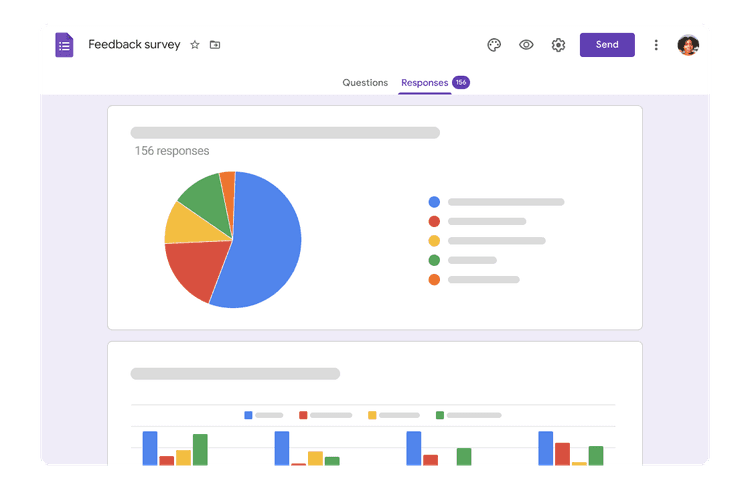
Why Automate Google Forms?
- Automating Google Forms can significantly enhance your data collection process. Here are some key benefits:
- Automating repetitive tasks reduces the time spent on data entry and analysis, allowing you to focus on more critical aspects of your business.
- Automation minimizes the risk of human error, ensuring that the data collected is accurate and reliable.
- Integrating Google Forms with other applications enables a seamless workflow, streamlining the process from data collection to analysis.
- Automated data collection and reporting tools can provide real-time insights, allowing for better decision-making and strategy adjustments.
How to Automate Google Forms
Here are some effective methods to automate Google Forms and improve your data collection process:
Use Google Sheets and Apps Script:
Google Sheets can be used to collect responses from Google Forms. By utilizing Google Apps Script, you can create custom scripts to automate various tasks, such as sending email notifications when new responses are submitted, updating data in other sheets, or generating reports.
For example, you can set up a script to automatically send a thank-you email to respondents upon submission of the form.
Integrate with Klamp

Use Form Notifications:
Google Forms allows you to set up email notifications for new responses. You can enable this feature in the settings, so you receive immediate alerts whenever someone submits a form. This ensures timely follow-up and improves engagement.
Connect with Google Data Studio:
Google Data Studio is a powerful reporting tool that allows you to visualize your data. By connecting Google Forms to Google Data Studio, you can create interactive dashboards and reports that automatically update as new responses come in. This automation provides real-time insights into your data and helps you make informed decisions quickly.
Use Third-Party Add-ons:
There are several third-party add-ons available in the Google Workspace Marketplace that can enhance the automation capabilities of Google Forms. For example, add-ons like Formfacade can help customize forms and automate data collection processes. Explore various add-ons to find those that best meet your needs and enhance your workflow.
Tips for Automating Google Forms
- When setting up automation, aim for simplicity. Focus on automating tasks that will save time and reduce manual effort without complicating the process.
- Before fully implementing automated workflows, test them thoroughly to ensure they work as expected. This helps identify any issues early and ensures smooth operation.
- Regularly review the performance of your automated processes. Look for areas where you can further optimize and improve efficiency.
- As you automate Google Forms, keep your forms and responses organized. Use clear naming conventions and categorize your forms to make data management easier.
Automating Google Forms can revolutionize your data collection process, making it more efficient, accurate, and seamless.
For more info on easy automation solutions visit Klamp Embed & Klamp Connectors