
SaaS and iPaaS Integration in Web Applications : Elevating User Experience:
Table of Contents
Businesses of all sizes are leveraging technology to streamline operations, enhance productivity, and drive growth. Two key components of this technological transformation are Software as a Service (SaaS) and Integration Platform as a Service (iPaaS). Understanding how these tools work together and how they can be integrated effectively is crucial for maximizing their potential. This blog will explore the benefits, challenges, and best practices for integrating SaaS and iPaaS solutions.
Understanding SaaS and iPaaS
1. What is SaaS?
Software as a Service (SaaS) is a software distribution model in which applications are hosted by a service provider and made available to customers over the internet. SaaS eliminates the need for businesses to install and maintain software on individual computers or servers, reducing costs and simplifying software management. Popular examples of SaaS applications include Salesforce, Google Workspace, and Microsoft Office 365.
2. What is iPaaS?
Integration Platform as a Service (iPaaS) is a suite of cloud services that enables the integration of applications and data across different environments. iPaaS solutions facilitate the connection of disparate systems, allowing them to work together seamlessly. This integration is essential for businesses that rely on multiple SaaS applications, as it ensures data consistency and streamlines workflows. Examples of iPaaS providers include Zapier, Klamp, and MuleSoft.
The Importance of Integrating SaaS and iPaaS
1. Enhancing Efficiency and Productivity
One of the primary benefits of integrating SaaS and iPaaS is the significant boost in efficiency and productivity. When SaaS applications are integrated through an iPaaS, data can flow seamlessly between systems. This eliminates the need for manual data entry and reduces the risk of errors, freeing up valuable time for employees to focus on more strategic tasks.
2. Streamlining Workflows
Integration helps streamline workflows by automating repetitive tasks. For instance, when a new lead is entered into a CRM system like Salesforce, an iPaaS can automatically trigger actions in other connected applications, such as creating a new contact in an email marketing platform or generating a task in a project management tool. This ensures that all relevant departments have up-to-date information and can act promptly.
3. Improving Data Accuracy and Consistency
With multiple SaaS applications in use, data silos can become a significant issue. Integrating these applications via an iPaaS ensures that data is synchronized across all systems, maintaining accuracy and consistency. This is crucial for making informed business decisions, as it provides a single source of truth for all data.
4. Enhancing Scalability and Flexibility
As businesses grow, so do their technological needs. An integrated SaaS and iPaaS ecosystem can easily scale to accommodate new applications and increased data volumes. This flexibility allows businesses to adapt quickly to changing market conditions and stay ahead of the competition.
Challenges of Integrating SaaS and iPaaS
1. Complexity of Integration
Integrating multiple SaaS applications can be complex, particularly for businesses with a large number of systems and data sources. Each application may have its own unique requirements and limitations, making it challenging to create seamless connections. However, with careful planning and the right iPaaS solution, these complexities can be managed effectively.
2. Data Security and Privacy Concerns
When integrating SaaS applications, data security and privacy are paramount. Transferring data between systems can introduce vulnerabilities if not managed properly. Businesses must ensure that their iPaaS provider adheres to strict security protocols and complies with relevant data protection regulations, such as GDPR or CCPA.
3. Maintaining Integration Over Time
The digital landscape is constantly evolving, with new applications and updates being released regularly. Maintaining integration over time requires continuous monitoring and management to ensure that all systems remain compatible and function correctly. This ongoing effort can be resource-intensive but is necessary to maintain the benefits of integration.
Best Practices for Successful Integration
1. Conduct a Thorough Needs Assessment
Before embarking on any integration project, it is essential to conduct a thorough needs assessment. Identify the specific business processes that will benefit from integration and prioritize them based on their impact on efficiency and productivity. This will help guide the selection of the right SaaS and iPaaS solutions.
2. Choose the Right iPaaS Solution
Selecting the right iPaaS solution is critical for successful integration. Consider factors such as ease of use, scalability, security, and compatibility with existing systems. Look for a provider that offers robust support and a comprehensive set of features to meet your business’s unique needs.
3. Develop a Detailed Integration Plan
A detailed integration plan is essential for ensuring a smooth implementation. Outline the specific applications and data sources to be integrated, the processes to be automated, and the desired outcomes. Define clear timelines and responsibilities for each phase of the project to ensure that all stakeholders are aligned.
4. Test and Validate the Integration
Before going live with the integration, it is crucial to conduct thorough testing and validation. This will help identify and resolve any issues that may arise during the integration process. Testing should include data migration, functionality, and security checks to ensure that the integration meets all requirements.
5. Monitor and Maintain the Integration
Once the integration is live, continuous monitoring and maintenance are essential to ensure its ongoing success. Regularly review system performance, update configurations as needed, and stay informed about updates to the integrated applications. This proactive approach will help prevent disruptions and ensure that the integration continues to deliver value.
Case Study: Successful SaaS and iPaaS Integration
1. Company Overview
FlexShop is a mid-sized e-commerce business that relies on multiple SaaS applications to manage its operations. These applications include Salesforce for CRM, Shopify for online sales, and Mailchimp for email marketing. FlexShop faced challenges with data silos and inefficient workflows, leading to delays in order processing and customer support.
2. Integration Solution
FlexShop selected Klamp as their iPaaS provider to integrate their SaaS applications. The integration project focused on automating key processes, such as syncing customer data between Salesforce and Shopify and automating email campaigns based on customer behavior.
3. Results
The integration project significantly improved FlexShop’s efficiency and productivity. Order processing times were reduced by 50%, and customer support response times improved by 40%. The seamless flow of data between systems also enhanced the accuracy of customer insights, enabling more targeted marketing campaigns.
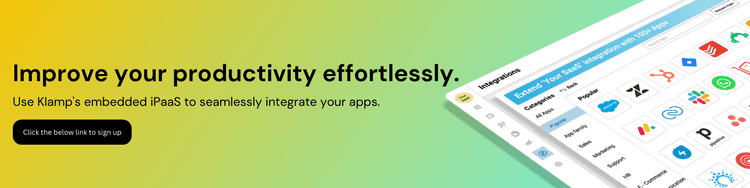
Integrating SaaS and iPaaS solutions is crucial for modern businesses aiming to enhance efficiency and data consistency. Embedded iPaaS, like Klamp, represents the future of seamless integration within SaaS platforms, enabling even greater automation and flexibility. By adopting embedded iPaaS, companies can stay competitive and responsive in a rapidly changing market. Embrace Klamp embed to unlock the full potential of your SaaS ecosystem and drive sustainable growth.
For more info on easy automation solutions visit Klamp Embed & Klamp Connectors