
MailerLite for Successful Campaigns

Table of Contents
Email marketing remains a powerful tool for engaging with your audience and driving conversions. Among the myriad of email marketing platforms available, MailerLite stands out for its user-friendly interface, robust features, and affordability. This blog explores how you can leverage MailerLite to craft successful email campaigns, optimize your strategies, and achieve your marketing goals.
Learning with Mailerlite
MailerLite is a versatile email marketing platform designed for businesses of all sizes. It offers a range of features including drag-and-drop email builders, automation workflows, landing pages, and advanced analytics. Its simplicity and effectiveness make it a popular choice for marketers looking to streamline their email marketing efforts.
1. Building a Strong Subscriber List
A successful email campaign begins with a high-quality subscriber list. Here’s how you can build and maintain one using MailerLite:
- Create Compelling Opt-In Forms: Use MailerLite customizable opt-in forms to capture email addresses from your website visitors. Ensure your forms are strategically placed, such as on your homepage, blog, or checkout pages.
- Offer Incentives: Encourage sign-ups by offering incentives like eBooks, discount codes, or exclusive content. MailerLite allows you to integrate these offers directly into your forms.
- Segment Your List: Segmenting your subscriber list based on demographics, behavior, or preferences helps you send more relevant and personalized content. This increases engagement and reduces unsubscribes.
2. Crafting Effective Email Campaigns
Once you have a robust subscriber list, it’s time to focus on creating impactful email campaigns. Here are some tips:
- Utilize the Drag-and-Drop Editor: MailerLite’s intuitive drag-and-drop editor makes designing emails a breeze. Use it to create visually appealing emails that align with your brand’s style and message.
- Write Compelling Subject Lines: Your subject line is the first thing subscribers see, so make it catchy and relevant. Test different subject lines to see which ones drive higher open rates.
- Personalize Your Content: Personalization goes beyond using the recipient’s name. Tailor your content to their interests, past behavior, and preferences. MailerLite dynamic content feature allows you to customize emails based on subscriber data.
- Include Clear Calls-to-Action (CTAs): Ensure your emails have clear, actionable CTAs that guide subscribers towards your desired outcome, whether it’s making a purchase, signing up for an event, or downloading a resource.
3. Making Use of Automation
Email automation can save you time and enhance the effectiveness of your campaigns. Here’s how to use MailerLite automation features:
- Welcome Sequences: Set up automated welcome emails for new subscribers to introduce them to your brand and offer valuable content or discounts. This helps build a positive first impression.
- Abandoned Cart Emails: If you run an eCommerce store, use MailerLite’s automation to send reminders to customers who have abandoned their carts. Include a special offer or discount to encourage them to complete their purchase.
- Re-Engagement Campaigns: Automate emails to re-engage inactive subscribers. Offer them exclusive content or ask for feedback to reignite their interest in your brand.
- Behavioral Triggers: Create automated workflows based on subscriber behavior, such as clicking on a specific link or viewing a particular product. This allows you to send targeted messages that drive engagement.
4. Analyzing and Optimizing Your Campaigns
To ensure your email marketing efforts are effective, regularly analyze your campaign performance and make data-driven improvements:
- Track Key Metrics: Monitor open rates, click-through rates, conversion rates, and unsubscribe rates to gauge the success of your campaigns. MailerLite provides detailed analytics to help you understand how your emails are performing.
- A/B Testing: Conduct A/B tests to compare different versions of your emails and determine which elements perform best. Test subject lines, CTAs, images, and content to optimize your campaigns.
- Optimize for Mobile: Ensure your emails are mobile-friendly, as a significant portion of subscribers will read emails on their smartphones. MailerLite’s responsive design features help you create emails that look great on any device.
- Review Feedback: Pay attention to subscriber feedback and make adjustments based on their preferences and suggestions. This can help you refine your content and improve engagement.
5. Enhancing Your Email Marketing with Integrations
MailerLite offers various integrations to enhance your email marketing efforts:
- CRM Integrations: Connect MailerLite with your CRM system to synchronize subscriber data and improve segmentation and personalization.
- eCommerce Platforms: Integrate with platforms like Shopify or WooCommerce to automate product recommendations, abandoned cart emails, and more.
- Social Media: Use MailerLite’s integrations with social media platforms to promote your email campaigns and grow your subscriber list.
- Analytics Tools: Integrate with analytics tools to gain deeper insights into your campaign performance and make data-driven decisions.
Elevate Your Email Marketing with Klamp.io
While MailerLite offers a comprehensive suite of features for managing and optimizing email campaigns, integrating it with an advanced integration platform like Klamp.io can further enhance your marketing efforts. Klamp.io is an embedded iPaaS (Integration Platform as a Service) that simplifies and automates complex workflows, helping you seamlessly connect MailerLite with other tools and systems in your tech stack.
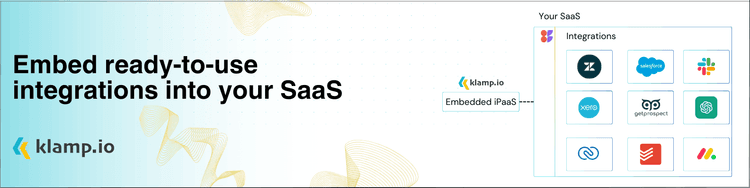
You can optimize your workflows, achieve your marketing objectives with more effectiveness, and create more effective campaigns by utilizing both MailerLite's robust email advertising features and Klamp.io integration capabilities.
For more info on easy automation solutions visit Klamp Embed & Klamp Connectors