
Integrating Google Forms with HubSpot
Table of Contents
Google Forms and HubSpot are two tools that, when integrated, can significantly enhance your data collection processes and CRM capabilities. Google Forms allows for easy creation of surveys, forms, and questionnaires, while HubSpot offers powerful CRM and marketing automation features. Integrating Google Forms with HubSpot can streamline data collection, automate workflows, and provide valuable insights. In this blog, we’ll explore the benefits of integrating Google Forms with HubSpot and provide a step-by-step guide on how to set it up.
What is Google Forms?
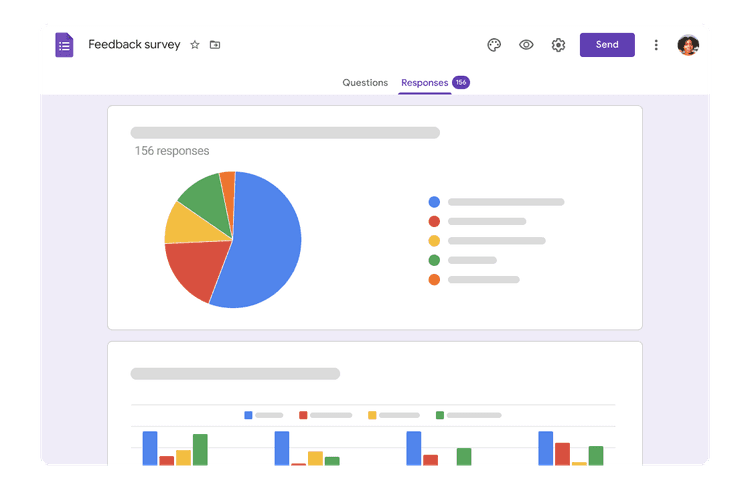
Google Forms is a free tool offered by Google that allows users to create customizable forms, surveys, and questionnaires. It provides an effortless way to collect information from users, track responses in real-time, and analyze data using Google Sheets. Google Forms is widely used for various purposes, including customer feedback, event registrations, and lead generation.
What is HubSpot?
HubSpot is a leading CRM and marketing automation platform designed to help businesses manage customer relationships, automate marketing tasks, and analyze performance. HubSpot’s tools include email marketing, social media management, lead generation, and sales automation. By centralizing customer data and automating processes, HubSpot enables businesses to engage with their audience more effectively and drive growth.

Why Integrate Google Forms with HubSpot?
Integrating Google Forms with HubSpot offers several advantages that can enhance your data collection and CRM processes:
Automated Data Collection
Automatically transfer data collected through Google Forms into HubSpot. This integration eliminates manual data entry, reducing errors and saving time.
Lead Management
Convert form responses into HubSpot contacts and leads. This integration allows you to manage and nurture leads more effectively by leveraging HubSpot’s CRM capabilities.
Improved Data Accuracy
Ensure that data collected through Google Forms is accurately and consistently recorded in HubSpot. Integration helps maintain data integrity by syncing responses directly with your CRM system.
Streamlined Workflows
Automate workflows based on form submissions. For example, trigger follow-up emails or create tasks in HubSpot based on specific responses from Google Forms.
Reporting
Combine data from Google Forms with HubSpot’s CRM data to generate comprehensive reports and insights. This integration helps you analyze customer feedback, track form performance, and make data-driven decisions.
How to Integrate Google Forms with HubSpot
Setting up the integration between Google Forms and HubSpot involves connecting your Google Forms account with HubSpot and configuring data synchronization settings. Follow these steps to get started:
Sign Up for Google Forms and HubSpot Accounts
Ensure that you have active accounts on both Google Forms and HubSpot. If you don’t have accounts, sign up and complete the setup process for each platform.
Choose an Integration Tool
Since Google Forms does not natively integrate with HubSpot, you will need to use a third-party integration tool like Klamp to connect the two platforms. Sign up for an account with the integration tool of your choice.
Connect Your Accounts
Log in to your integration tool account and connect your Google Forms and HubSpot accounts. Follow the prompts to authorize the connection and grant the necessary permissions.
Set Up a New Integration
Create a new integration by selecting Google Forms as the trigger app and HubSpot as the action app. Configure the integration to specify which form responses should trigger actions in HubSpot.
Map Data Fields
Map the fields from your Google Forms to the corresponding fields in HubSpot. This step involves aligning form response data with HubSpot contact properties, custom fields, and lead information.
Configure Actions
Define the actions that should be taken in HubSpot based on form submissions. For example, create new contacts, update existing records, or trigger automated workflows.
Test the Integration
Before fully implementing the integration, test it to ensure that data is syncing correctly and that actions are being executed as expected. Verify that form responses are accurately reflected in HubSpot.
Monitor and Optimize
After setting up the integration, monitor its performance and make any necessary adjustments. Use HubSpot’s reporting tools to track the effectiveness of the integration and optimize your workflows.
Integrate Google Forms with HubSpot using Klamp Flow
Use Cases for Google Forms and HubSpot Integration
- Lead Generation: Automatically create and manage leads in HubSpot based on responses from Google Forms, such as contact forms, event registrations, or survey submissions.
- Customer Feedback: Collect customer feedback through Google Forms and sync the responses with HubSpot to gain insights and track customer satisfaction.
- Event Registrations: Use Google Forms to manage event registrations and integrate the data with HubSpot to track attendee information and follow up with participants.
- Survey Analysis: Combine survey data from Google Forms with HubSpot CRM data to analyze customer preferences and improve marketing strategies.
- Automated Workflows: Set up automated workflows in HubSpot based on form submissions, such as sending follow-up emails or assigning tasks to team members.
Integrating Google Forms with HubSpot offers a powerful solution for improving your data collection and CRM processes. By automating data transfer, improving lead management, and streamlining workflows, this integration helps you save time and make data-driven decisions.

For more info on easy automation solutions visit Klamp Embed & Klamp Connectors