
How to Create Automated Email Sequences
Table of Contents
Automated email sequences are a powerful tool for engaging your audience, nurturing leads, and driving conversions. MailerLite, known for its user-friendly interface and robust features, makes it easy to create and manage these sequences.
Automated Email Sequences
- Automated email sequences are a series of pre-written emails sent automatically based on user actions or specific triggers.
- They help in delivering timely and relevant content to your subscribers without manual intervention.
- MailerLite automation features enable you to set up these sequences efficiently, ensuring that your email marketing strategy remains effective and engaging.
Starting Off with MailerLite
Before diving into the creation of automated email sequences, ensure you have a MailerLite account. If not, sign up for an account at MailerLite. Once logged in, follow these steps:
1. Create a New Automation Workflow:
- Navigate to the "Automation" tab in your MailerLite dashboard.
- Click on "Create New Workflow" to start building your sequence.
2. Choose a Trigger:
- Triggers are the events that start your automation sequence. Common triggers include a new subscriber joining your list, a specific tag being added, or a subscriber completing a purchase.
- Select the trigger that aligns with your campaign goals.
3. Set Up the Workflow:
- Define the sequence of emails that will be sent after the trigger. You can customize the timing and conditions for each email to ensure they are delivered at the optimal moment.
- MailerLite allows you to add multiple steps, including delays and conditions, to tailor the sequence to your needs.
4. Design Your Emails:
- Create engaging and visually appealing emails using MailerLite’s drag-and-drop editor. You can design emails from scratch or use one of the pre-designed templates.
- Ensure your emails are personalized and relevant to the recipient's actions or interests.
5. Test and Activate Your Workflow:
- Before activating your workflow, test it to ensure everything functions as expected. MailerLite provides a preview and testing option for this purpose.
- Once you're satisfied with the setup, activate the workflow to start sending automated emails.
Best Practices for Automated Email Sequences
To maximize the effectiveness of your automated email sequences, follow these best practices:
1. Segment Your Audience:
- Segmenting your audience allows you to send targeted and relevant content. Use MailerLite’s segmentation tools to group subscribers based on their behaviors, preferences, or demographics.
- Tailor your email sequences to each segment for better engagement and conversion rates.
2. Personalize Your Emails:
- Personalization goes beyond using the subscriber's name. Incorporate dynamic content based on their past interactions, preferences, or purchase history.
- Use MailerLite’s personalization features to create emails that resonate with each recipient.
3. Optimize for Mobile:
- Many subscribers read emails on their mobile devices. Ensure your emails are mobile-friendly by using responsive design techniques.
- Test your emails on various devices to guarantee they look good and function well on all screen sizes.
4. Provide Value:
- Focus on delivering value in your automated emails. Whether it's through educational content, exclusive offers, or helpful tips, ensure that each email provides something of worth to the recipient.
- Avoid overwhelming your subscribers with too many emails. Find the right balance to keep them engaged without being intrusive.
5. Monitor and Analyze Performance:
- Regularly review the performance of your automated email sequences using MailerLite’s analytics tools. Track metrics such as open rates, click-through rates, and conversions to assess the effectiveness of your campaigns.
- Use this data to make informed adjustments and optimize your email sequences for better results.
Making use of Klamp.io to Improve Email Marketing
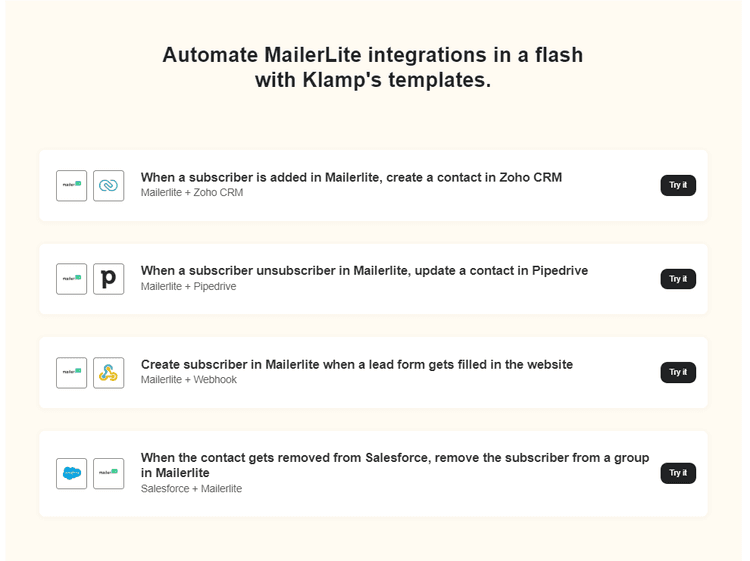
While MailerLite provides robust tools for creating and managing automated email sequences, integrating it with an advanced platform like Klamp.io can further enhance your email marketing efforts. Klamp.io, an embedded iPaaS (Integration Platform as a Service), offers seamless integration and automation capabilities that can streamline your marketing processes.
Benefits of Integrating MailerLite with Klamp.io:
1. Streamlined Workflow Automation:
Klamp.io can automate complex workflows by integrating MailerLite with other tools and platforms you use. This ensures a smooth flow of data and reduces manual tasks.
Enhanced Data Management:
Klamp.io helps in managing and syncing data across different systems, ensuring that your subscriber lists and segmentation are always up-to-date and accurate.
Advanced Analytics and Reporting:
By integrating MailerLite with Klamp.io, you can gain deeper insights into your email marketing performance through advanced analytics and reporting features.
Customizable Integrations:
Klamp.io allows you to create custom integrations tailored to your specific needs, providing greater flexibility and control over your email marketing strategy.
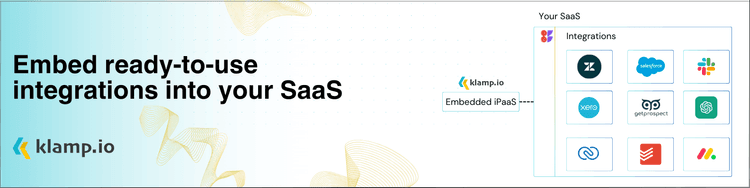
Integrate Mailerlite using klamp.io to create automated mail sequences
For more info on easy automation solutions visit Klamp Embed & Klamp Connectors