
Builder.io Login: Your Gateway to Seamless Content Creation
Table of Contents
Builder.io has appeared as a valuable tool that simplifies the process of creating, managing, and improving website content. One of the first steps to harnessing its capabilities is mastering the Builder.io login process. This crucial entry point not only ensures secure access to your workspace but also sets the stage for a productive content management experience. In this blog, we’ll dive into the nuances of the Builder.io login process and explore how it can enhance your content creation workflow.
What is Builder.io?
Before we delve into the login details, let's briefly understand what Builder.io offers. Builder.io is a no-code/low-code platform designed to help users create, manage, and optimize digital content effortlessly. With its drag-and-drop interface, real-time collaboration features, and integration capabilities, Builder.io empowers teams to build and maintain high-quality websites and applications without needing extensive coding knowledge.
The Importance of Secure Login
Security is a top priority in the digital age, and the Builder.io login process is designed with this in mind. A secure login ensures that only authorized users have access to your content and settings, protecting your valuable data from unauthorized access or potential breaches.
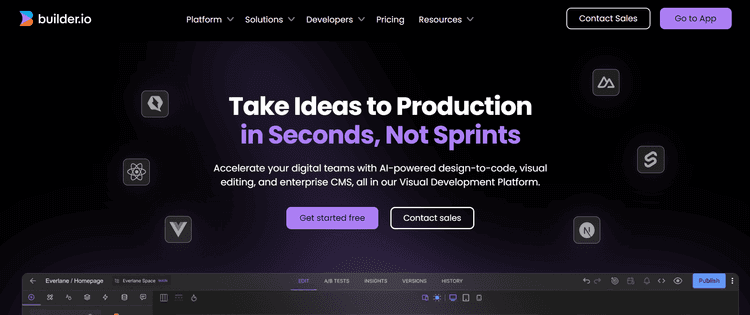
Steps to Access Your Builder.io Account
Getting started with Builder.io involves a few straightforward steps. Here’s a step-by-step guide to logging in:
- Visit the Builder.io Website
Begin by navigating to the official Builder.io website at builder.io. On the homepage, look for the "Login" button, typically found at the top right corner of the page.
- Enter Your Credentials
Click on the "Login" button to be redirected to the login page. Here, you’ll need to enter your registered email address and password. Ensure that you use the correct email associated with your Builder.io account.
- Two-Factor Authentication (2FA)
For added security, Builder.io may require two-factor authentication (2FA). If you have 2FA enabled, you’ll need to provide the verification code sent to your registered mobile device or email.
Access Your Dashboard
Once your credentials are verified, you’ll be granted access to your Builder.io dashboard. From here, you can start creating and managing your content, collaborate with team members, and use various features offered by the platform.
Troubleshooting Common Login Issues
While the login process is usually smooth, you might encounter some issues along the way. Here are a few common problems and their solutions:
- Forgot Password
If you’ve forgotten your password, click on the "Forgot Password" link on the login page. Follow the instructions to reset your password. You’ll receive an email with a link to create a new password.
Account Lockout
After multiple failed login attempts, your account may be temporarily locked in security reasons. Wait for a brief period before trying again or contact Builder.io support if the issue persists.
Email Verification
If you’ve recently created a Builder.io account and haven’t verified your email, you may face login issues. Check your email for a verification link and follow the instructions to activate your account.
Improving Your Login Experience
To make your login experience more efficient and secure, consider the following tips:
- Use a Password Manager
A password manager can help you store and manage your Builder.io login credentials securely. This tool can also generate strong, unique passwords for added security.
Enable 2FA
Enabling two-factor authentication adds an extra layer of protection to your account. It requires an added verification step, making it more challenging for unauthorized users to gain access.
- Regularly Update Passwords
Regularly updating your password helps to keep account security. Aim to change your password every few months and avoid using easily guessable information.
Using Builder.io for Content Creation
Once you’ve successfully logged into your Builder.io account, you’ll have access to a suite of features designed to streamline content creation. Here’s a glimpse into what you can achieve with Builder.io:
Drag-and-Drop Interface
Builder.io’s intuitive drag-and-drop interface allows you to design and arrange content effortlessly. Whether you’re building a landing page, blog post, or e-commerce site, this feature simplifies the process.
Real-Time Collaboration
Collaborate with team members in real-time. Builder.io supports multiple users working on the same project simultaneously, easing efficient teamwork and faster project completion.
Integration with Other Tools
Integrate Builder.io with other tools and platforms you use. Whether it’s a CRM system, analytics tool, or marketing automation software, seamless integration enhances your content management capabilities.

"Check Klamp pricing for Klamp Flow to explore affordable automation solutions."
The Builder.io login process is your gateway to a robust content management system that empowers you to create and improve digital content with ease. By understanding and mastering the login steps, you can ensure secure access to your account and make the most of Builder.io’s features. Remember to follow best practices for account security and use the platform’s capabilities to streamline your content creation workflow.
As you navigate your Builder.io journey, don’t hesitate to explore its extensive documentation and support resources. With a secure and efficient login process, you’re well on your way to harnessing the full potential of Builder.io and elevating your content management game.
For more info on easy automation solutions visit Klamp Embed & Klamp Connectors